
Data Deletion
General Data Protection Regulation (GDR)
Remove data from social media
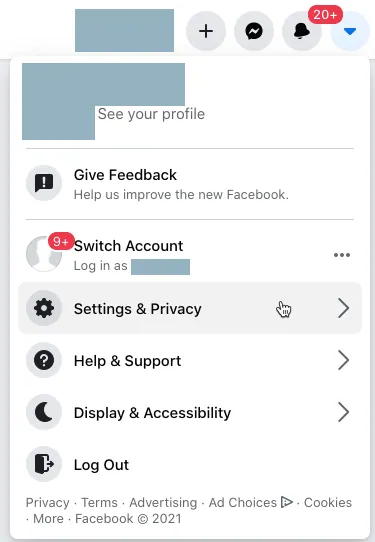
After login Facebook, on the top right corner click Profile (arrow icon)
Choose 'Settings & Privacy'
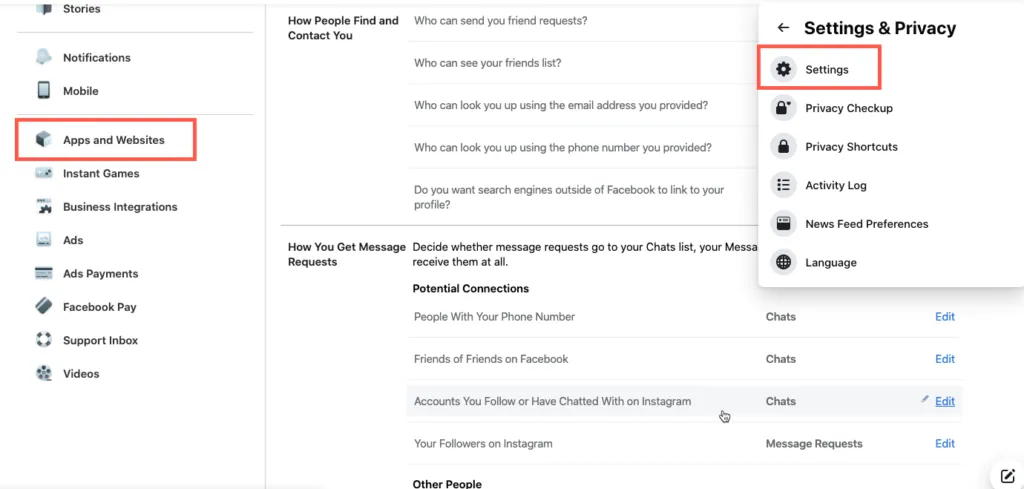
Click 'Setting', then click 'Apps and Websites'
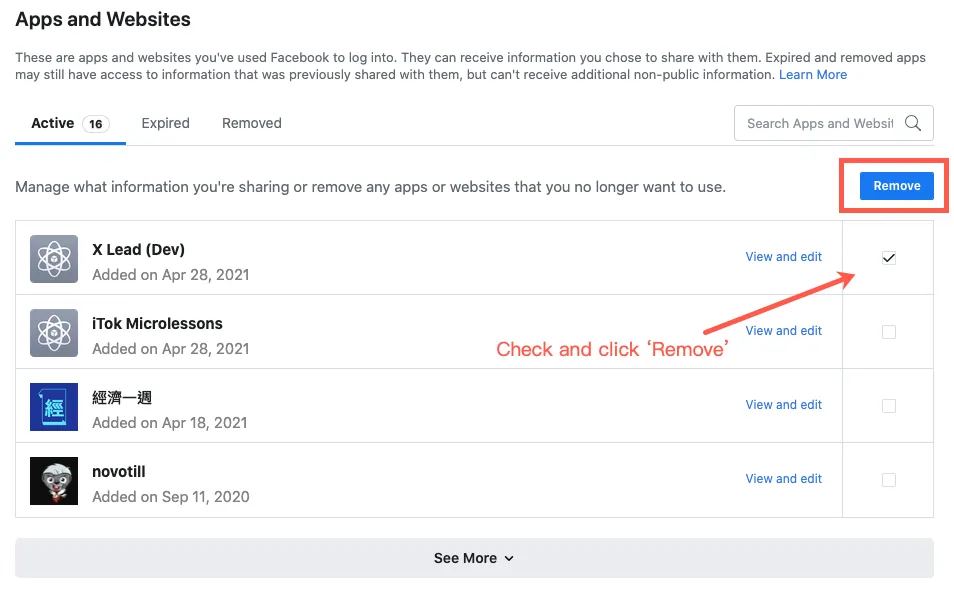
Choose the corresponding App (in this case, "X Lead"), check the box and click 'Remove' button
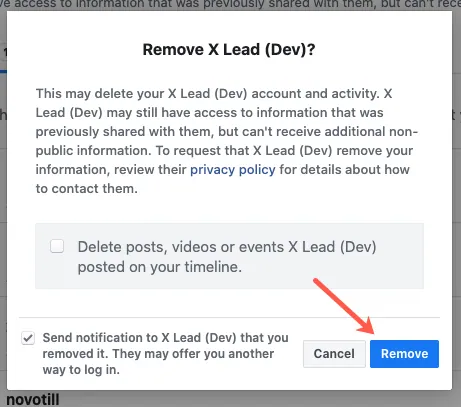
Click 'Remove' to confirm you delete your X Lead account and activity. If you wish to remove the previous posts from your timeline, click also 'Delete posts, videos or events X Lead posted on your timeline'
If you would like us to delete all data associated with your Facebook account from the X Lead system, please send an email to privacy@xleadfunnel.com with the subject “Delete my Facebook data.” We will reply within 48 hours and permanently remove all data within 7 days. If you have any questions, please contact support@xleadfunnel.com.